exec_blob Directory Reference
Directory dependency graph for exec_blob:
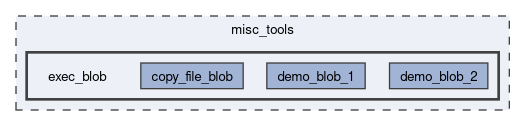
Directories | |
| bulk_downlink_start_blob | |
| copy_file_blob | |
| demo_blob_1 | |
| demo_blob_2 | |
Files | |
| lfs.h | |
Detailed Description
`exec_blob` Tools
As a somewhat last-resort for missing functionality, and/or for dynamic on-orbit data analysis, it could be helpful to load a machine code file from the filesystem into a buffer in memory, and then execute it as though it's a function.
This functionality is fairly risky (though not too bad, due to safety features like the 2 layers of watchdogs), and decently challenging to use.
Status
Basic demo blobs work reliably and safely, so this feature will be included in the firmware in case it is needed.
Guide
- Duplicate demo_blob_2/ to start your own blob/script/payload.
- Modify blob_main.c to implement whatever you wish.
- Use the arm-none-eabi-nm -n CTS-SAT-1_FW.elf | grep function_or_variable_name command to get addresses of functions in the main firmware.
- Be sure to add one to the address of functions (make the address odd).
- Run make clean && make
- Convert the blob.bin output file to hex and upload it using fs_write_file_hex(...), or use the bulk file uplink procedure.
- Verify the hash with the SHA256 telecommand.
- Run the exec_blob_from_fs telecommand to run the new blob.
- The blob is triggered with the remaining/unused argument: exec_blob_from_fs(blob_filename.bin,0,this_argument_is_passed_as_arg_str_to_blob)
Other Notes
- When using where_to_load_arg_1=1 or 2, MPI data collection may not work well while using this feature (though will return to normal after the completion of exec_blob_from_fs), as we use the giant MPI buffer to store the blob/program.
- Using where_to_load_arg_1=0 allows MPI operations to work as normal.
- This feature is "secure" because uplinks are validated/authenticated by HMAC in the AX100 transceiver.
Generated by
 1.17.0